SHORT ANSWER
WhatsApp is not just for online shops. Clinics, schools, property agents and any business that books appointments or answers the same questions every day can use the official WhatsApp Business API. It lets your whole team reply from one shared inbox, send approved reminders, and let an AI agent handle the easy questions after hours. Start with one or two use cases, not ten.
Most of the talk about WhatsApp for business is about online stores: order updates, cart reminders, delivery alerts. That makes sense, but it leaves out a lot of businesses that get even more WhatsApp messages than shops do.
Think about a dental clinic. Patients message to book, to move a booking, to ask about fees, to send a photo of a prescription. Or a school, where parents ask about fees, holidays and admissions all year. Or an estate agent who gets twenty "is this still available?" messages for every new listing.
In most of these places, all of that lands on one phone. One person answers it, usually in between other work. When that person is off, nobody answers. This guide is about fixing that.
In this guide
- The WhatsApp app vs the WhatsApp Business API
- Clinics and healthcare
- Schools and training centres
- Property, travel and other service businesses
- How to set it up without a mess
- Questions we get asked
The WhatsApp app vs the WhatsApp Business API
The free WhatsApp Business app works on one phone. You can link a few devices, but it is still one inbox that everyone sees at once, with no way to assign a chat to a person or see who replied to what.
The WhatsApp Business API is the version Meta built for teams. You use it through a platform like Texnity. The main differences you will notice day to day:
- Many people, one number. Your front desk, your accounts person and your manager can all reply from the same number, each from their own login.
- Chats can be assigned. A fee question goes to accounts. A booking goes to reception. Nobody answers the same person twice.
- Approved templates. You can send reminders and updates to people who opted in, even if they have not messaged you in the last 24 hours.
- Less risk of a ban. Because you are on the official API and not a copied or unofficial app, your number is not at the same risk of getting blocked.
If you only get a handful of messages a day and one person handles them happily, the free app is fine. Once two or more people need to answer, the API starts to pay for itself in saved time.
Clinics and healthcare
Clinics are one of the best fits we see. The messages are repetitive, they come at all hours, and a missed message often means a missed appointment.
Here is how a small clinic usually sets it up:
- Booking requests come into the shared inbox and get assigned to the front desk.
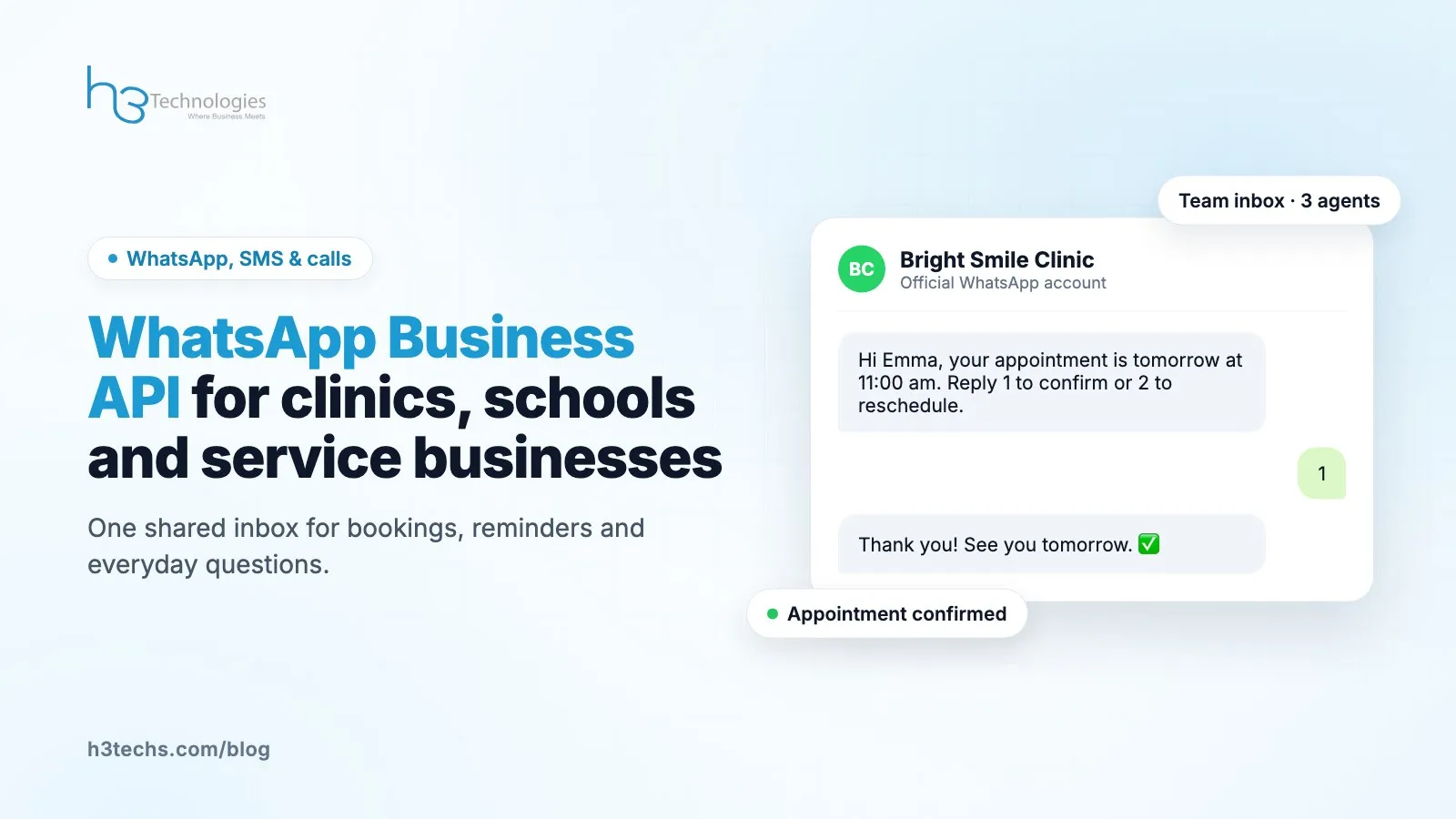
- Reminders go out the day before an appointment as an approved template, with a simple "reply 1 to confirm" style message. Fewer no-shows, less phone calling.
- Common questions like timings, location and fees are answered by the AI agent at night, using the clinic's own information.
- Anything medical is handed to a person. We always tell clinics to keep the AI away from medical advice. Its job is to answer "are you open on Sunday?", not "is this rash serious?".
One practical tip: write down your ten most common questions before you start. You will be surprised how many messages those ten cover.
Schools and training centres
Schools have a different problem. It is less about volume on one day and more about the same parents asking the same things all term.
- Fee reminders sent as templates before the due date, so the accounts office is not chasing parents one by one.
- Admissions questions handled by the AI agent with the school's own admission details, then passed to the admissions team when a parent is ready to visit.
- Announcements like holidays or a change in timings sent as a broadcast to parents who opted in.
Keep broadcasts for things parents actually need. If every message is a promotion, people stop reading, and some will block you, which hurts your number's quality rating with Meta.
Property, travel and other service businesses
Estate agents, travel agents, insurance offices, salons, gyms and repair services all share one pattern: someone asks a question, and whoever answers first usually wins the customer.
For these businesses the shared inbox matters most. A property enquiry that sits unanswered for three hours is often gone. With a shared inbox, whoever is free picks it up, and the manager can see which chats are still waiting.
The ticket system helps too. If a customer reports a problem, say a booking that went wrong, you can turn the chat into a ticket so it does not get lost under new messages.
Many of these businesses also get messages on Instagram and by email, not only WhatsApp. Texnity puts WhatsApp, Instagram, email and your website live chat in the same inbox, which means your team checks one screen instead of four apps.
How to set it up without a mess
We have helped a lot of teams move to the API. The ones that go smoothly follow roughly the same steps:
- Pick the number. Decide which number will be your business WhatsApp. If it is already on the WhatsApp app, it can be moved to the API.
- Verify your business with Meta. You will need your business documents. This step takes the longest, so start it first.
- Write your templates. Keep them short and clear. Meta approves plain, useful messages faster than salesy ones.
- Decide who answers what. Even a simple rule like "fees go to Sarah, bookings go to front desk" saves a lot of confusion.
- Turn on the AI agent last. Run the inbox with people for a week or two first. Then you know what the AI should and should not answer.
Do not try to automate everything on day one. Get the inbox working, then add reminders, then add the AI agent. Each step is easier when the one before it is settled.
Questions we get asked
Can I keep my current WhatsApp number?
Usually yes. A number that is on the WhatsApp app can be moved to the Business API. You lose the chat history on the phone app, so save anything important before you switch.
Can I send messages to people who have not messaged me?
Only with an approved template, and only to people who agreed to hear from you. That is Meta's rule, and it protects your number.
Will the AI agent say something wrong?
It answers from the information you give it, and you decide which topics it handles. For anything sensitive, set it to pass the chat to a person.
Is this only for big businesses?
No. We see it work well for a clinic with three people at the front desk. The deciding factor is whether more than one person needs to reply, not how big you are.
Want to see it with your own messages?
Tell us what kind of business you run and what your customers usually ask. We will show you how Texnity would handle it. See Texnity or talk to our team.